

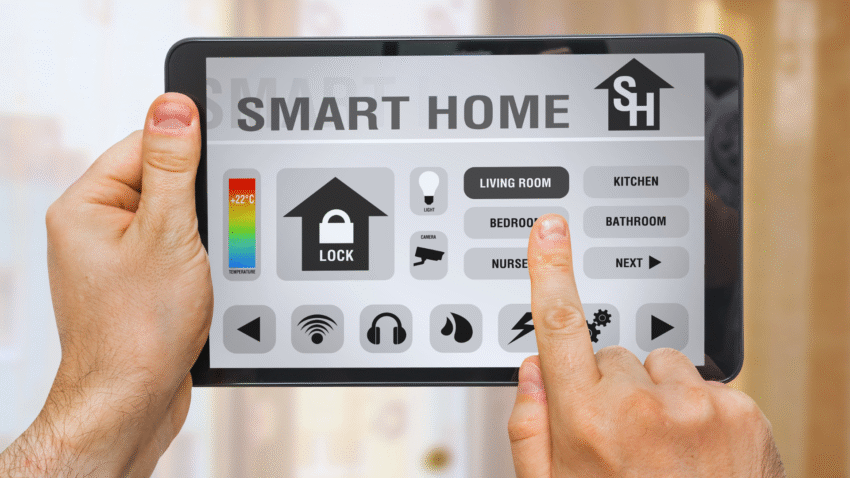
Smart homes offer convenience and control, but too many smart home devices can lead to device overload, causing frustration and reduced efficiency. Managing these devices effectively is crucial to maintain a seamless smart technology experience without feeling overwhelmed.
The key to preventing smart home device overload is selective integration—choosing only the most useful devices and centralising their control through a single platform or hub. This approach simplifies management and reduces the clutter of multiple apps and systems.
Users should prioritise devices that serve essential functions and ensure compatibility with each other to avoid technical issues. Regularly reviewing and removing redundant or rarely used gadgets can also help keep the smart home system streamlined and manageable.
Recognising Signs of Smart Home Device Overload
Smart home device overload often manifests through connectivity and performance issues that disrupt the user experience. Identifying these signs early allows for timely intervention to maintain a stable and efficient smart home environment.
Slow Internet Speeds and Dropped Connections
A primary indicator of device overload is a noticeable reduction in internet speed. When many smart devices simultaneously access the Wi-Fi network, bandwidth becomes strained. This results in slow page loading, delayed streaming, or buffering during video calls.
Dropped connections are common when the router cannot manage the demand placed on it. Devices may frequently disconnect and then reconnect to the network, interrupting automation routines or making devices unresponsive. Users often see error messages or lost signal icons on their apps.
Monitoring internet speed and device connection stability helps pinpoint when overload affects daily smart home operations.
Frequent Network Congestion and Interference
Network congestion occurs when excessive data traffic overwhelms the Wi-Fi network. This can happen during peak usage times or when too many devices transmit data simultaneously. Congestion leads to longer response times and reduced reliability for all devices on the network.
Interference from other wireless devices, such as neighbouring Wi-Fi networks or microwave ovens, can exacerbate congestion. Overlapping Wi-Fi channels cause disruptions, leading to dropped packets and communication errors between devices.
Devices using the same frequency bands, typically 2.4 GHz, are more vulnerable to interference, increasing the risk of smart home device malfunctions.
Router Overload and Unresponsive Devices
Routers have limits on how many devices they can efficiently support. When overloaded, a router struggles to assign IP addresses and manage network traffic, causing smart home devices to become unresponsive.
This issue often manifests as devices seeming offline despite being powered on. Automation commands may fail to execute, or delays may occur in sensor responses. Router overload can also lead to overheating and hardware degradation, affecting overall network stability.
Upgrading to a higher-capacity router or segmenting devices across multiple networks can alleviate router overload and improve device performance.
Core Strategies to Prevent Device Overload in Smart Homes
Managing numerous smart devices requires practical steps to maintain network efficiency and device responsiveness. Addressing device limits, prioritising critical applications, and organising networks can significantly reduce slowdowns and connectivity issues.
Limiting the Number of Connected Devices
Smart homes often connect dozens of devices, but exceeding the network’s capacity creates lag and unstable connections. Users should evaluate which devices are essential and disconnect or remove those rarely used.
Many routers and smart home hubs specify an optimal device limit. For instance, older dual-band routers can handle fewer simultaneous connections compared to Wi-Fi 6-enabled devices. Prioritising devices that contribute most to daily routines prevents overburdening the system.
Regularly reviewing connected device lists and removing outdated or duplicate smart devices keeps the network lean. Avoid integrating too many low-use gadgets to maintain smooth operation and reduce bandwidth strain.
Prioritising Devices and Applications with Quality of Service
Implementing Quality of Service (QoS) settings on routers helps prioritise traffic for important devices and applications. Smart home hubs and security cameras might receive higher priority over less critical devices like smart lights or speakers.
QoS rules allow the router to allocate more bandwidth to actions like video streaming or home security alerts. This prevents critical functions from slowing down due to non-essential data.
Most modern dual-band and mesh network routers support QoS configurations. Setting these via the router’s admin interface ensures stable performance for vital smart devices without manual intervention.
Segmenting Networks for Improved Performance
Dividing a smart home network into segments improves device management and security. Creating guest networks for visitors or less critical devices isolates traffic and reduces interference.
Segmenting via a mesh network or configuring the router to separate 2.4 GHz and 5 GHz bands can limit congestion. For example, low-power IoT devices often operate better on the 2.4 GHz band, while streaming devices benefit from 5 GHz’s higher speed.
This physical or logical separation prevents device overload on a single channel. It also safeguards key smart home components by reducing the risk of network-wide failures and optimising overall Wi-Fi standard utilisation.
Upgrading and Optimising Your Smart Home Network
A well-structured network can handle multiple devices without slowing down or dropping connections. Key factors include selecting appropriate hardware, boosting signal coverage, and considering modern system designs.
Choosing the Right Router and Wi-Fi Standard
Selecting a router that supports the latest Wi-Fi standards significantly impacts performance. Wi-Fi 6 (802.11ax) offers faster speeds, better device management, and improved efficiency compared to Wi-Fi 5 (802.11ac).
Wi-Fi 6 is designed to reduce router overload by handling multiple connected devices simultaneously, ideal for smart homes with many gadgets. It also supports both 2.4 GHz and 5 GHz frequency bands, balancing range and speed.
When upgrading, confirm that the router matches the internet speed from the internet service provider (ISP) to avoid bottlenecks. Routers without gigabit Ethernet ports or outdated hardware may limit network potential despite fast ISP connections.
Enhancing Signal Strength and Reducing Interference
Signal strength is essential for consistent smart device performance. Positioning the router centrally and away from walls or large metal objects helps improve coverage.
Using the 5 GHz frequency band reduces interference but has a shorter range compared to 2.4 GHz. Devices far from the router may benefit from switching to 2.4 GHz for stability.
Common interference sources include microwaves, cordless phones, and neighbouring Wi-Fi networks. Changing the Wi-Fi channel in the router settings can minimise overlap and improve connection quality.
Implementing Mesh Networking Solutions
A mesh network system uses multiple nodes to extend Wi-Fi coverage across the entire home. This setup is effective for large or multi-storey houses where a single router cannot reach every corner.
Mesh networks reduce dead zones and balance network load, preventing router overload. Each node communicates with others to distribute bandwidth efficiently.
They are compatible with various Wi-Fi standards, including Wi-Fi 6, allowing devices to connect to the best node automatically. Installation is straightforward and often managed via dedicated apps for easy optimisation.
Smart Security and Ecosystem Best Practices
Smart home technology requires careful management to maintain security and efficiency. Devices need secure access control, consistent platforms improve integration, and voice-controlled systems demand specific oversight to prevent unintended actions.
Securing Devices with Strong Passwords
Using strong passwords for all smart home devices is essential. Passwords should be unique, complex, and not shared across devices like laptops, gaming consoles, and smartphones. Default manufacturer passwords on smart thermostats, smart lights, or smart home hubs must be changed immediately.
Two-factor authentication (2FA) should be enabled wherever possible, especially on accounts connected to Amazon Alexa, Google Home, or streaming services. This reduces the risk of unauthorised access through compromised credentials.
Regularly updating passwords and avoiding obvious choices like “password123” or device names helps block potential intruders from exploiting weaknesses in the smart home network.
Standardising Your Smart Home Ecosystem
Maintaining a standard smart home ecosystem simplifies management and reduces compatibility issues. Choosing devices from compatible brands or platforms—such as all Alexa-enabled or all Google Home supported products—ensures smoother control.
A standard ecosystem also reduces app overload, enabling users to manage smart thermostats, smart lights, and other smart home hubs from a single interface. This minimises confusion and boosts overall system responsiveness.
Additionally, consistent firmware updates should be scheduled to keep devices secure and functional. Mixing brands can complicate this process and increase the chance of vulnerabilities.
Managing Voice Assistants and Automated Controls
Voice assistants like Amazon Alexa and Google Home enhance convenience but require careful management to avoid overload. Users should review and disable unnecessary voice commands or skills that may trigger unintended automation.
Setting clear boundaries for voice commands prevents interference with gaming consoles, streaming devices, or laptops operating nearby. It is important to limit sensitive actions, such as unlocking doors or adjusting security systems, to verified voice profiles.
Regular audits of connected devices and automated routines ensure the smart home hub functions as intended without excessive or conflicting commands that could disrupt daily use.