

Mobile devices are common targets for cyber threats due to their constant connection to the internet and the sensitive information they hold. Protecting these devices requires a combination of practical steps and awareness of potential risks.
Using strong passwords, enabling two-factor authentication, and regularly updating software are essential to keeping a mobile device secure. Additionally, avoiding suspicious links and apps helps reduce the chances of falling victim to malware or phishing attacks.
Understanding the basics of mobile security empowers users to defend their devices effectively. This knowledge is key to minimising vulnerability in an increasingly digital world.
Understanding Mobile Cyber Threats
Mobile devices face a broad range of threats that exploit vulnerabilities in software and user behaviour. Attack methods are varied, targeting both smartphones and tablets through malware, phishing, and app weaknesses. These threats can lead to data loss, financial harm, and privacy breaches.
Types of Mobile Security Threats
Mobile security threats include malware, such as spyware, ransomware, and Trojans, designed to steal data or disrupt device function. Mobile malware often arrives through fraudulent apps or infected downloads.
Phishing attacks on mobile devices typically use deceptive messages or apps to trick users into revealing personal information. These scams can appear as text messages, emails, or fake websites optimised for smartphones.
Other key threats involve app vulnerabilities that allow hackers to gain unauthorised access to a device. These weaknesses often exist in apps that do not regularly update their security protocols.
How Cybercriminals Target Mobile Devices
Cybercriminals exploit both technical flaws and human error to launch cyberattacks on mobile technology. They distribute malware through app stores, email links, or infected Wi-Fi networks, aiming to infiltrate devices unnoticed.
Phishing scams lure users with urgent messages or misleading offers, prompting them to click on harmful links or share sensitive data. They also exploit poorly secured apps and outdated operating systems to breach defences.
Hackers use spyware to monitor activities in the background, recording sensitive information such as passwords, location, and contacts. They often combine these tactics to amplify the success of their cybercrime operations.
The Impact of Cyber-Attacks on Smartphones and Tablets
Cyber-attacks on smartphones and tablets can result in serious consequences like identity theft, financial loss, and compromised privacy. Malicious software might grant hackers remote control, enabling data theft or device manipulation.
Victims often face unauthorised transactions, exposure of confidential messages, or loss of personal photos. Additionally, business-related devices risk leaks of corporate data, affecting the company’s reputation and security.
Beyond financial damage, attacks degrade user trust in mobile technology by exposing security weaknesses, highlighting the importance of vigilant mobile cybersecurity practices.
Essential Steps to Secure Your Mobile Device
Securing a mobile device requires multiple layers of protection to prevent unauthorised access and vulnerabilities. Using complex passwords, biometric options, keeping software current, and managing app permissions are key elements in maintaining mobile cybersecurity.
Setting Up Strong Passwords and PINs
Strong passwords significantly reduce the risk of unauthorised access. Use a combination of upper and lowercase letters, numbers, and special characters. Avoid easily guessable information like birthdays or common words.
PINs should ideally be longer than four digits. A six-digit PIN or longer improves security. Password managers can help generate and store complex passwords safely.
Changing passwords regularly and avoiding reuse across accounts also helps protect against credential theft. He or she should never write passwords down in insecure places.
Leveraging Biometric and Two-Factor Authentication
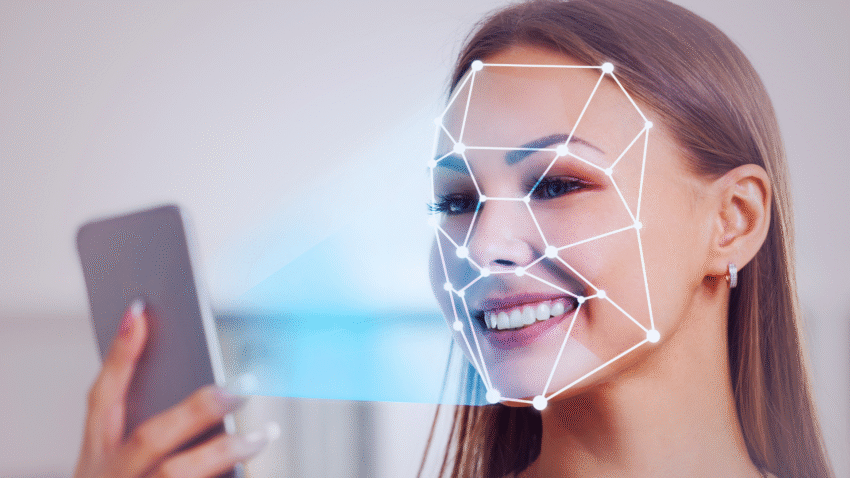
Biometric authentication uses fingerprints, facial recognition, or iris scans for secure access. It is faster and often more secure than PINs alone, as biometric data is unique.
Two-factor authentication (2FA) adds an extra protective layer. It combines something the user knows (password/PIN) with something they have (a one-time code sent to a separate device or app). This method drastically lowers the risk of password-related breaches.
Users should enable 2FA on apps and services that support it, especially for sensitive data or financial transactions. Combining biometrics and 2FA substantially strengthens security.
Keeping Software and Apps Updated with Security Patches
Regularly updating the operating system and applications is crucial. Developers release security patches to fix vulnerabilities that hackers could exploit.
Ignoring updates leaves devices exposed to malware and data theft. Automatic updates should be enabled where possible to ensure timely protection.
Before updating, it is essential to verify app sources. Download apps only from official stores like Google Play or Apple App Store to avoid malicious software.
Maintaining Security with Screen Lock and App Permissions
Screen locks prevent unauthorised physical access to a device. Users should enable screen locks that activate quickly after inactivity, such as PIN, password, or biometric options.
App permissions control what data and functions installed apps can access. Reviewing and restricting permissions limits exposure of sensitive information like location, contacts, and microphone access.
Regularly auditing installed apps and removing those not in use reduces risks. He or she should also avoid granting unnecessary permissions to protect device integrity and data privacy.
Safe App Usage and Network Practices
Secure app usage and cautious network behaviour reduce exposure to cyber threats. Users should prioritise trusted sources and maintain vigilance over app permissions. Networks, especially public ones, require careful handling to prevent data interception and mobile phishing.
Downloading from Official App Stores Only
Downloading apps exclusively from trusted sources like the Apple App Store or Google Play minimises risks. These stores vet apps for malware and regularly update security protocols to prevent malicious software distribution.
Third-party or unofficial app stores often lack strict oversight, increasing the chance of downloading apps with vulnerabilities or embedded malware. Users should check app ratings and reviews in official stores to verify legitimacy.
Apps requesting unnecessary permissions should be avoided regardless of their source. Permissions related to access to contacts, messages, or the camera should be scrutinised to prevent data misuse.
Recognising and Avoiding Malicious Apps
Malicious apps often imitate popular apps or use enticing names to lure users. Users should verify developer credentials and confirm app authenticity before downloading.
Unexplained battery drain, increased data use, or unfamiliar icons after app installation can indicate a malicious app. Removing suspect apps promptly reduces security risks.
Regularly updating apps ensures patching of known vulnerabilities, reducing exploitable weaknesses. Security software designed for mobile devices can help detect and block malicious behaviour.
Best Practices for Public Wi-Fi and VPN Usage
Public Wi-Fi networks are often unsecured, exposing users to interception or man-in-the-middle attacks. Avoid accessing sensitive accounts or performing financial transactions over these networks.
A Virtual Private Network (VPN) encrypts internet traffic, offering protection when using public or unsecured Wi-Fi. Users should select reputable VPN services without logs and strong encryption standards.
Connecting automatically to open Wi-Fi should be disabled, and wireless network sharing switched off on mobile devices. If no VPN is available, using mobile data over public Wi-Fi is safer for sensitive activities.
Protecting Against Mobile Phishing Attacks
Mobile phishing attacks use fake messages or websites to trick users into revealing credentials or personal information. Users should not click on suspicious links in texts or emails.
Verifying sender details and avoiding urgent requests for sensitive data helps reduce risk. Apps and browsers with built-in phishing protection provide an additional security layer.
Reporting phishing attempts promptly to service providers or app stores can prevent further attacks and remove fraudulent content quickly.
Advanced Protection and Recovery Measures
Effective protection involves not only preventing attacks but also preparing to respond if a device is compromised or lost. Utilising tools like remote lock, tracking, and secure backups ensures data stays safe and recoverable.
Remote Lock and Wipe Features
Remote lock and wipe functions allow users to protect data if a device is lost or stolen. By activating these features, the device can be locked remotely to prevent unauthorised access. If necessary, all data can be erased to avoid sensitive information falling into the wrong hands.
Both Android and iOS have built-in options—such as Android’s Find My Device and Apple’s Find My iPhone. These tools require prior setup and an active internet connection to function effectively. Enabling encryption and strong passcodes further enhances security during the remote lock or wipe process.
Tracking and Locating Lost Devices
Tracking software helps locate lost or stolen devices using GPS or network triangulation. Services like Find My iPhone and Google’s Find My Device provide real-time location updates and allow alerts to be sent to the handset.
Users should enable location services and ensure their device’s tracking settings are active at all times. The ability to show contact information on the lock screen can increase the chances of recovery by honest finders. Tracking tools also often include features to prevent disabling or uninstalling, adding an extra layer of protection.
Backing Up Data Securely
Periodic backups are essential to protect against data loss from theft, damage, or malware. Secure backups can be made via cloud services or local storage using encrypted connections.
Both iCloud for iOS and Google Drive for Android offer automatic backup options that cover app data, settings, photos, and contacts. Users should verify that backups are encrypted and protected by strong passwords. Regularly testing the restore process ensures data can be recovered quickly when needed.