

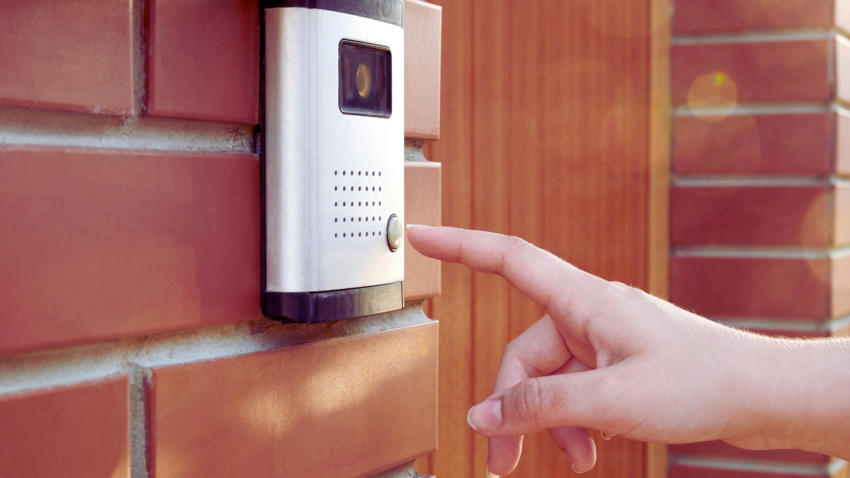
Smart doorbells and cameras have become essential components of modern home security systems. These smart home devices not only enhance safety but also provide convenience and peace of mind for homeowners. They allow users to monitor their property in real time, offering a robust solution to deter potential intruders.
With a variety of features including video recording, motion detection, and two-way audio, these devices cater to a wide range of security needs. Homeowners can receive alerts directly to their smartphones, making it easier than ever to keep an eye on their front door and surroundings. Incorporating smart doorbells and cameras into a home enhances both security and the overall smart home experience.
As technology continues to evolve, so do the capabilities of these devices, enabling users to integrate them seamlessly with other smart home systems. When viewed as part of a broader approach to safety, these devices align with key home security essentials, helping create a more comprehensive and well-rounded protection system. This interconnectedness not only simplifies daily life but also maximises security coverage. Investing in smart doorbells and cameras is a proactive step towards protecting one’s home and loved ones.
Understanding Smart Doorbell Technology
Smart doorbells integrate advanced technology to enhance home security and convenience. Key aspects include system essentials, video quality, and privacy features, which play significant roles in their effectiveness and user satisfaction.
Essentials of Smart Doorbell Systems
Smart doorbell systems combine a doorbell and a camera to provide real-time notifications and video feeds to homeowners. They typically connect to a Wi-Fi network, facilitating direct communication with smartphones and smart home hubs.
Key components include:
- Camera: Provides visual access to the front door, with options such as HD and 2K resolution.
- Motion Sensors: Detect movement within a specific range, prompting notifications.
- Two-Way Audio: Enables communication between the homeowner and visitors.
- Night Vision: Ensures visibility in low-light conditions.
These features enhance security by helping owners monitor their entrances and respond to visitors without direct contact.
Comparison of Video Quality and Resolution
Video quality is a critical consideration when selecting a smart doorbell. Many models offer various resolution options, typically ranging from 1080p to 2K.
- 1080p provides clear images, adequate for most residential needs.
- 2K Resolution offers enhanced clarity, particularly useful for identifying faces and objects at a distance.
Some doorbells also incorporate HDR (High Dynamic Range) technology to improve background details in contrasting light conditions. Consumers should evaluate their priorities—higher resolution generally means better image quality but may require more significant storage and bandwidth.
Privacy and Security Features
Privacy and security are paramount for users considering smart doorbells. Many devices provide built-in security features to protect user data. This includes encryption protocols ensuring that video feeds remain private.
Users should also be aware of potential security flaws. Some products have faced scrutiny for data breaches, so it is crucial to choose reputable brands that offer regular firmware updates.
Additionally, privacy settings allow users to customise who can access video recordings and notifications. Many smart doorbells implement local storage options, reducing reliance on cloud services and minimising data exposure.
The Integration of Doorbells with Smart Home Ecosystems
Smart doorbells integrate with various smart home platforms, enhancing convenience and security. They offer seamless communication and functionality with other devices, creating a cohesive smart home experience.
Working with Major Platforms
Smart doorbells are designed to work with major smart home ecosystems like Amazon Alexa, Google Home, and Apple Home. Each platform provides unique features and compatibility options.
- Amazon Alexa: Users can connect smart doorbells to Alexa-enabled devices, allowing voice announcements and remote access. They can monitor video feeds through Echo Show devices.
- Google Home: Integration allows for notifications via Google Assistant. Users receive alerts on their phones or smart speakers when someone approaches the door.
- Apple Home: Smart doorbells compatible with HomeKit offer secure video streaming and control through the Home app. This enhances privacy and includes features like facial recognition.
Extending Functionality Through IFTTT and HomeKit
IFTTT (If This Then That) enhances smart doorbell capabilities by allowing users to create customised automation. For instance, users can set the doorbell to trigger other smart devices.
- Upon receiving motion alerts, users may program lights to turn on or send notifications to their smartphones. This builds an interconnected system for home management.
HomeKit support further enhances user experience by providing tight integration with iOS devices. Users can control doorbells through Siri and automate actions based on location. These features boost convenience and security, allowing for tailored solutions to fit user needs.
Installation of Smart Doorbells
Installing a smart doorbell requires careful planning and understanding of the device’s power and storage options. It’s often a good idea to bring in skilled electrician services Houston TX, or nearby areas to manage the full setup and connection. With professional help, the installation is handled efficiently, ensuring the device functions reliably and integrates well with the existing electrical system.
Step-by-Step Guide to Installing Your Device
- Select the Location: Choose a spot that captures a clear view of the entrance and is within the Wi-Fi range.
- Gather Tools: Common tools include a drill, screwdriver, and level. Some devices may require specific mounting hardware.
- Turn Off Power: For wired models, switch off the power at the circuit breaker to ensure safety during installation.
- Mount the Base: Attach the mounting bracket securely to the wall. Use a level to ensure it is straight.
- Connect Wiring: For wired installations, connect the doorbell wires to the device’s terminals. Ensure a tight fit.
- Power Up: Restore power and follow the manufacturer’s app instructions to connect to Wi-Fi.
- Test the Device: Ensure it operates correctly, adjusting angles as needed for optimal video capture.
Solving Power and Battery Life Challenges
Battery-powered video doorbells typically use removable batteries that may need replacing periodically. For those with built-in batteries, solar panel options can keep them charged.
Battery Tips:
- Monitor Usage: Check the battery level through the app. Many devices display the remaining power percentage.
- Reduce Notifications: Limiting motion detection sensitivity can prolong battery life.
- Choose Quality: High-capacity batteries typically last longer.
Wired Alternatives: Wired installations eliminate battery concerns. They provide a constant power source, ensuring reliable operation without downtime.
Understanding the Reliability of Cloud and Local Storage
Storage options affect how recorded videos can be accessed. Cloud storage solutions, like Eufy Cloud Storage, allow users to view footage remotely but may involve subscription fees.
Local Storage Options:
- MicroSD Cards: Some devices offer the option to record directly to a MicroSD card, allowing for easy local access without subscription costs.
Storage Considerations:
- Data Security: Cloud services often provide encryption, enhancing privacy.
- Recording Policies: Users should check how long videos are stored on cloud services for data retention policies.
Choosing the right storage type will vary depending on individual preferences for accessibility, cost, and security.
Selecting the Right Smart Doorbell for Your Needs
Choosing a smart doorbell requires careful consideration of brand reputation, features, and total ongoing costs. An informed decision can enhance security and convenience for any home.
Assessing the Benefits of Top Brands and Models
Several brands dominate the smart doorbell market. The Ring Video Doorbell Pro offers excellent video quality, and two-way communication, and integrates seamlessly with other Ring products. It requires a Ring Protect subscription for additional features.
Arlo Video Doorbell provides high-definition video and a unique wire-free design. Subscription via Arlo Secure unlocks advanced features like cloud storage and professional monitoring.
For affordability, the Eufy Video Doorbell stands out as a budget-friendly option, offering local storage without subscription fees. The Eufy Video Doorbell Dual enhances security with additional features, including dual-camera functionality.
The Nest Doorbell excels in smart home integration and offers a comprehensive subscription service through Nest Aware for added functionality. The Blink Video Doorbell is known for its simplicity and cost-effectiveness, making it ideal for those seeking basic security.
Identifying the Total Cost of Ownership
The total cost includes the purchase price, installation, and ongoing subscription expenses. Brands like Ring offer plans such as Ring Protect, which adds a monthly fee for storing video clips. This plan enhances functionality but increases the overall cost.
Arlo also has subscription options through Arlo Secure, affecting long-term expenses. Users must assess how many features they genuinely need before committing.
Eufy provides a strong selling point as it does not require a monthly subscription for video storage, significantly lowering long-term costs.
Choosing features wisely can lead to savings, so buyers should compare subscription options and assess preliminary pricing before making a decision.